
Your website loads normally when you open it in Chrome.
The homepage works. Your service pages work. Your blog posts are available.
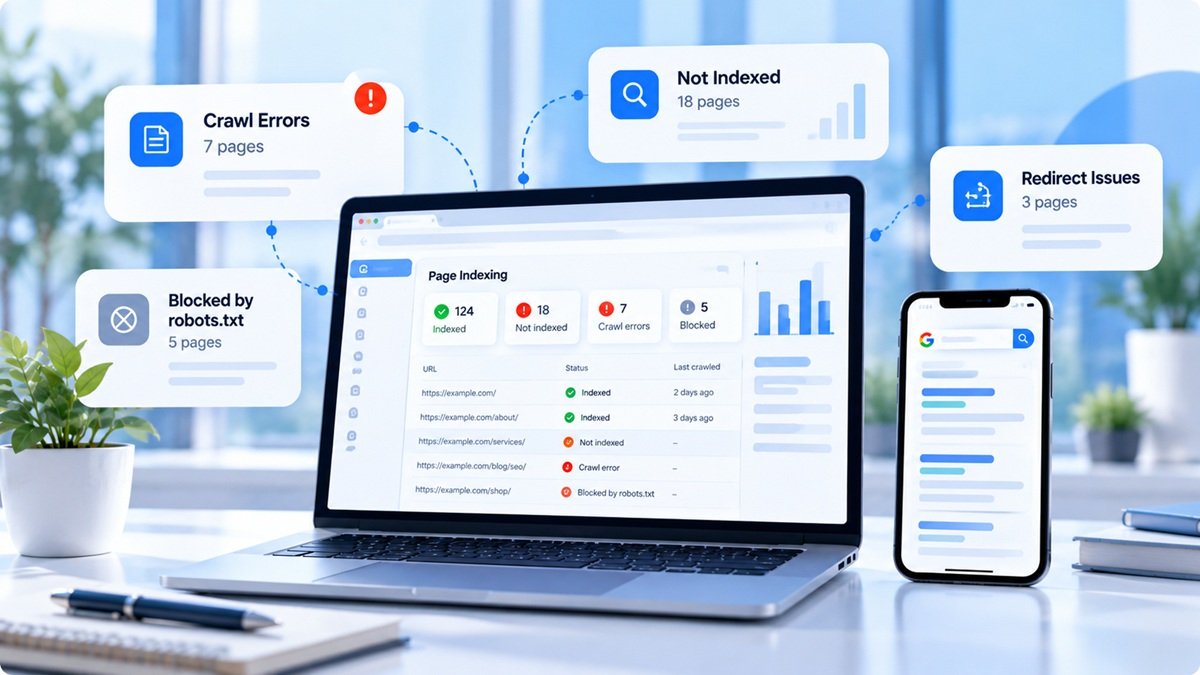
But when you check Google Search Console, you discover crawling errors. Some important pages aren’t being crawled, and new content isn’t appearing in search as expected.
This can be frustrating because a page working for you doesn’t guarantee that Googlebot can access it successfully.
Here’s how to investigate the problem systematically.
1. Start with Google Search Console
Open Search Console and review the Page Indexing and Crawl Stats reports.
Use URL Inspection to test a specific page that Google appears to be having trouble accessing.
Look for clues such as:
-
Server errors (5xx)
-
Redirect errors
-
Blocked by robots.txt
-
DNS or host availability problems
-
Unexpected HTTP status codes
Google recommends using Crawl Stats to identify host availability problems and URL Inspection to investigate individual URLs.
2. Check the HTTP status code
A publicly accessible page that should be indexed generally needs to return a successful response, normally 200 OK, and contain indexable content.
If an important page returns 500, 502, or 503, investigate the server or application before changing its SEO metadata.
If the page has permanently moved, a suitable redirect may be appropriate. If it genuinely no longer exists, return the correct not-found status rather than serving a fake success page.
3. Review robots.txt
A robots.txt rule may prevent Googlebot from crawling a page or section.
For example:
User-agent: *
Disallow: /services/
If your service pages are intended to be crawled, this rule may be a problem.
Review the file at your domain’s root and make sure the rules reflect your actual intentions. Don’t remove every restriction blindly; some paths may be intentionally excluded.
Also remember that robots.txt controls crawling, not a guaranteed removal of URLs from search results.
4. Check DNS and server availability
If Googlebot repeatedly encounters host availability errors, the issue may be related to DNS, server capacity, firewalls, or intermittent downtime.
Compare the timestamps of crawling errors with your hosting logs.
For example, if your server was overloaded every night during scheduled backups, you may find that the crawling failures happened during the same periods.
This kind of evidence is more useful than repeatedly resubmitting the sitemap.
5. Check redirects and URL versions
A page may redirect through several URLs before reaching its destination.
Review:
-
HTTP versus HTTPS
-
wwwversus non-www -
Old URL structures
-
Redirect loops
-
Long redirect chains
-
Incorrect canonical URLs
Make sure the final destination is accessible and relevant to the original URL.
6. Review JavaScript-dependent content
If important page content appears only after JavaScript executes, investigate whether Google can render the content and load the necessary resources.
Google Search can process JavaScript, but there are implementation differences and limitations that make JavaScript SEO testing important.
Check whether the page contains meaningful content when rendered and whether essential resources are blocked or failing.
7. Don’t assume every crawl error means an indexing penalty
Crawling and indexing are different processes.
A page can be crawled successfully but not indexed. Another page may not be crawled because Google cannot access it.
Your next step depends on which situation applies.
SEO crawling checklist
-
Inspect affected URLs in Search Console.
-
Check server response codes.
-
Review robots.txt.
-
Verify DNS and host availability.
-
Check redirects and canonical URLs.
-
Review JavaScript rendering.
-
Inspect server logs around the error times.
-
Verify the sitemap contains the intended URLs.
-
Retest after fixing the underlying problem.
Final thoughts
When Google can’t crawl your website, start by finding out whether the problem is access, configuration, rendering, or indexing. Fixing the actual cause is more effective than repeatedly requesting indexing.
SiteAuditScan can help identify technical SEO issues, while Search Console and server logs provide the additional evidence needed to investigate Googlebot access problems.