
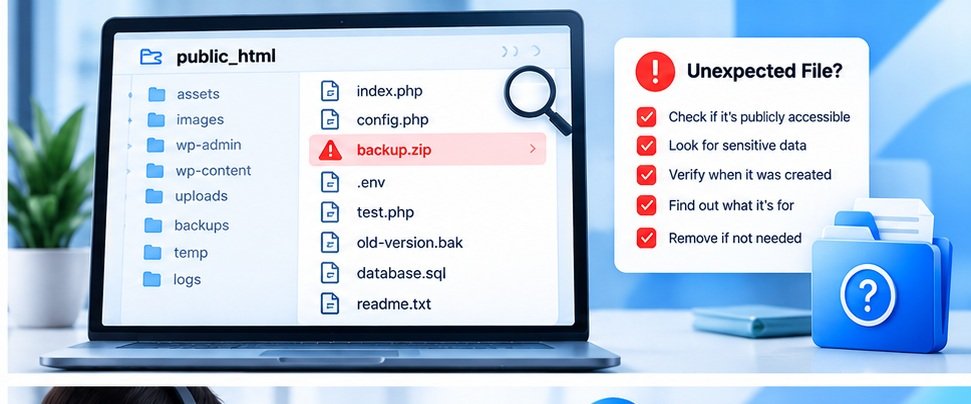
You are checking your website files one day and notice something you don’t recognize.
Maybe it’s an old ZIP file.
Maybe there is a .bak file.
Maybe you find a temporary configuration file.
Maybe you see a folder that you don’t remember creating.
The first reaction is usually:
“Has my website been hacked?”
Not necessarily.
An unfamiliar file can have many explanations.
It could be something left behind by a developer, plugin, backup process, migration, or hosting system.
But an unexpected publicly accessible file is worth investigating before ignoring it.
Don’t Delete It Immediately
The first mistake is deleting the file without understanding what it is.
If the file belongs to your website’s application, removing it could break something.
Instead, first determine:
- What is the file?
- When was it created?
- Who created it?
- Is it referenced by the website?
- Is it publicly accessible?
- Does it contain sensitive information?
If you have a development team or hosting provider, ask them about it.
Backup Files Deserve Special Attention
Imagine a developer creates a backup of a configuration file:
config.php.bak
The original file may be protected by the server.
But the backup extension could potentially be treated differently.
If the file is publicly accessible and contains sensitive configuration information, that could create a problem.
This is why old backup files should not simply be left in public web directories.
What About ZIP Files?
Website owners frequently create ZIP archives when moving or backing up websites.
For example:
website-backup.zip
If that file is stored inside the public website directory and its URL is predictable, someone may be able to download it.
That could potentially expose website files or other information contained in the archive.
Backups should generally be stored in an appropriately protected location rather than left publicly accessible.
Development Files Can Also Be Forgotten
A developer might temporarily create files for testing.
For example:
- Test PHP files
- Debug files
- Temporary HTML pages
- Database exports
- Migration files
- Old versions of scripts
The website may continue working perfectly after the development work is finished.
The problem is that the temporary files may still remain on the server.
This is why cleaning up after development work matters.
Check Your Publicly Accessible Files
If you manage a website, periodically review the public directory.
Look for things you don’t expect.
Pay particular attention to:
- Backup archives
- Database exports
- Configuration copies
- Debug logs
- Temporary files
- Old installations
- Development folders
Don’t assume an unfamiliar filename is malicious.
Investigate it first.
What If You Think the Website Was Compromised?
If you have genuine reasons to suspect unauthorized access, don’t treat the situation as a normal website audit issue.
Preserve relevant evidence and contact your hosting provider or a qualified security professional.
Depending on the situation, you may need to:
- Review access logs
- Change credentials
- Check administrator accounts
- Scan website files
- Review recent modifications
- Update vulnerable software
- Restore from a known-clean backup
The exact response depends on what happened.
How a Website Audit Can Help
An automated audit can identify some common exposure and configuration issues, but it won’t replace a full security investigation.
You can use SiteAuditScan as a starting point to review common website security signals and identify areas that deserve further investigation.
If the issue involves suspected compromise, however, involve someone who can inspect the server and application directly.
Final Thoughts
Finding an unfamiliar file doesn’t automatically mean your website has been hacked.
It does mean you should understand what the file is and why it exists.
The safest approach is simple:
Don’t panic. Don’t blindly delete it. Investigate it.
Regular website maintenance should include reviewing old files, backups, plugins, themes, and development leftovers.
Small cleanup tasks can prevent much bigger problems later.