
A website can look attractive and still feel frustrating. The main image may take too long to appear, a menu may respond late after a tap, or the page may jump just as a visitor is about to click a button. These issues affect whether people can use the page comfortably.
Core Web Vitals describe three important parts of the experience: loading, responsiveness, and visual stability. They do not explain every website problem, but they give site owners and developers a consistent way to investigate common issues.
What are Core Web Vitals?
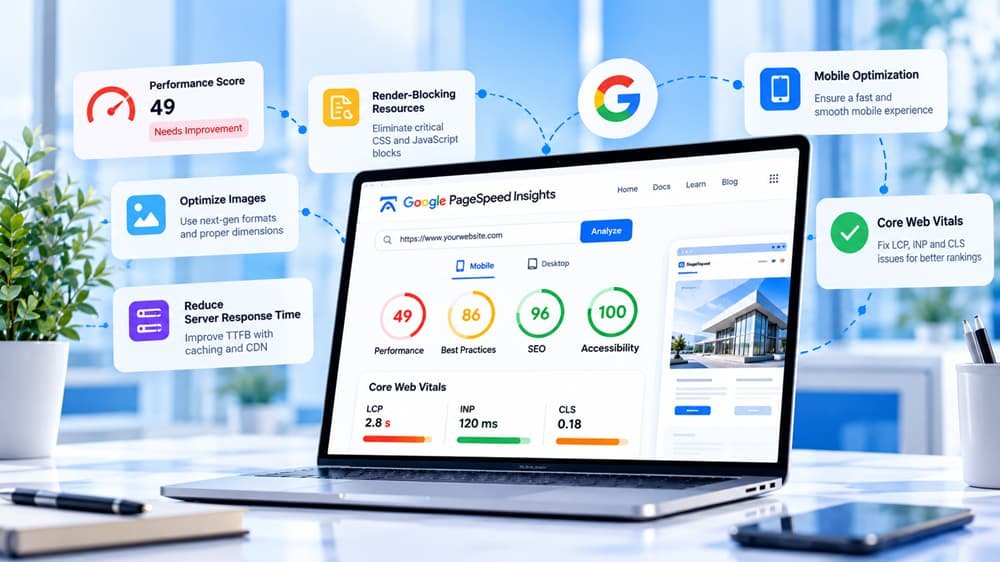
The three metrics are Largest Contentful Paint (LCP), Interaction to Next Paint (INP), and Cumulative Layout Shift (CLS). As general reference thresholds, good experiences are associated with LCP at 2.5 seconds or less, INP at 200 milliseconds or less, and CLS at 0.1 or less. Real-user assessment uses the 75th percentile of eligible visits. Check the latest official guidance before making technical decisions.
LCP: main content appears too late
LCP usually concerns the largest visible image or text block in the initial viewport. On a service website, it might be a hero banner and heading; on a product page, it may be the main product image. If this element appears late, visitors may feel the page has not finished loading.
Start with PageSpeed Insights and identify the reported LCP element where that information is available. Then investigate server response, resource discovery, download time, and rendering. Common causes include a slow server response, a large hero image, late-discovered CSS background images, render-blocking scripts, too many redirects, and unnecessary resources before the main content.
Check the image dimensions and format. Serve responsive image sizes so a phone does not download an unnecessarily large desktop asset. Do not lazy-load the primary image if it is needed immediately; lazy loading is more suitable for images further down the page. If the HTML arrives slowly, investigate hosting, caching, backend work, and database queries rather than focusing only on image compression.
INP: interactions feel delayed
A page can look loaded but still feel broken when someone opens a menu, filters products, submits a form, or taps a button. INP can be affected by JavaScript execution, event handlers, rendering work, and long tasks that occupy the main thread.
Common causes include large JavaScript bundles, expensive event handlers, repeated layout calculations, third-party scripts, complex filters, and animations that trigger excessive rendering. Start with the exact interaction that feels slow. Use browser developer tools to record a performance trace and inspect long tasks around it.
Reduce unnecessary DOM updates, break up large tasks where appropriate, and investigate code splitting if the page loads a large application bundle. For product filters, consider debouncing requests, limiting rendered results, caching suitable responses, or avoiding expensive work on every keystroke. Test carefully when delaying third-party scripts because they may support consent handling, analytics, forms, or other features.
CLS: the page moves while loading
Unexpected movement can make people tap the wrong control or lose their place while reading. Common causes include images without reserved dimensions, web fonts that change text wrapping, late banners, ads inserted into the page, and components whose height changes after asynchronous content arrives.
Set image width and height attributes or reserve space with CSS aspect ratios. Define expected dimensions for video and embedded content. Use sensible fallback fonts and configure font loading carefully. Reserve space for dynamic banners or use a layout that does not unexpectedly push content down. Provide realistic placeholders for asynchronously loaded components.
Use PageSpeed Insights effectively
Test the exact URL on mobile and desktop. Review metrics and diagnostics, not only the overall score. If field data is available, compare it with lab results. If it is unavailable, use lab data to investigate but do not treat missing field data as proof that there is no issue.
Test representative templates: homepage, article, product page, and checkout may have different LCP elements and scripts. One successful homepage test does not prove that the entire website has good Core Web Vitals.
Where SiteAuditScan.com fits
Core Web Vitals focus on specific experience signals. SiteAuditScan.com can be used as an additional checkpoint for the other website issues surfaced by its available audit checks. Use both sources to organize an investigation, then confirm findings in the browser, source code, or appropriate developer tools.
A practical process is to record the current results, inspect PageSpeed Insights, run the available checks at https://siteauditscan.com/, reproduce the problem, identify the root cause, make one focused change, and test the same URL again. An audit report does not automatically repair the underlying code or configuration.
Example: a landing page with three problems
Imagine a landing page with a large background image, a chat widget, and a banner that appears after a delay. The image may contribute to poor LCP, the widget may add JavaScript work that affects responsiveness, and the banner may shift the content and contribute to CLS. Compressing the image may help LCP but will not necessarily fix the other two problems. You may need to optimize image delivery, load the widget later, and reserve space for the banner.
Mistakes to avoid
Do not treat a single score as the whole experience. Do not assume lab and field data must match exactly. Do not preload every font or image. Do not remove essential interactions just to improve a metric. Do not fix one URL and assume all templates are healthy. Avoid making many changes at once without measuring the effect.
Checklist
Identify the LCP element; check server response and critical resources; inspect expensive interactions; reserve space for images and dynamic content; test important templates; review additional findings with SiteAuditScan.com; re-test after changes; and record the outcome.
Conclusion
Core Web Vitals help explain how quickly content appears, how responsive a page feels, and whether the layout remains stable. Use PageSpeed Insights to investigate these signals and SiteAuditScan.com as an additional audit checkpoint. Diagnose the specific problem, make a focused change, and test again instead of chasing a number without understanding the experience behind it.