A WordPress website can have a strong password, a security plugin, an SSL certificate, and regularly updated themes—and still depend on a vulnerable server-side component.
That is why the recently disclosed PHP2Shell vulnerability deserves attention from WordPress website owners, developers, hosting providers, and security teams.
On October 21, 2026, security researchers and the PHP development team disclosed two critical vulnerabilities in the PHP runtime. Tracked as CVE-2026-109618 and CVE-2026-109619, the flaws can potentially allow unauthenticated remote code execution or exposure of sensitive process memory on affected systems. The PHP project has released security updates and urged users to update immediately.
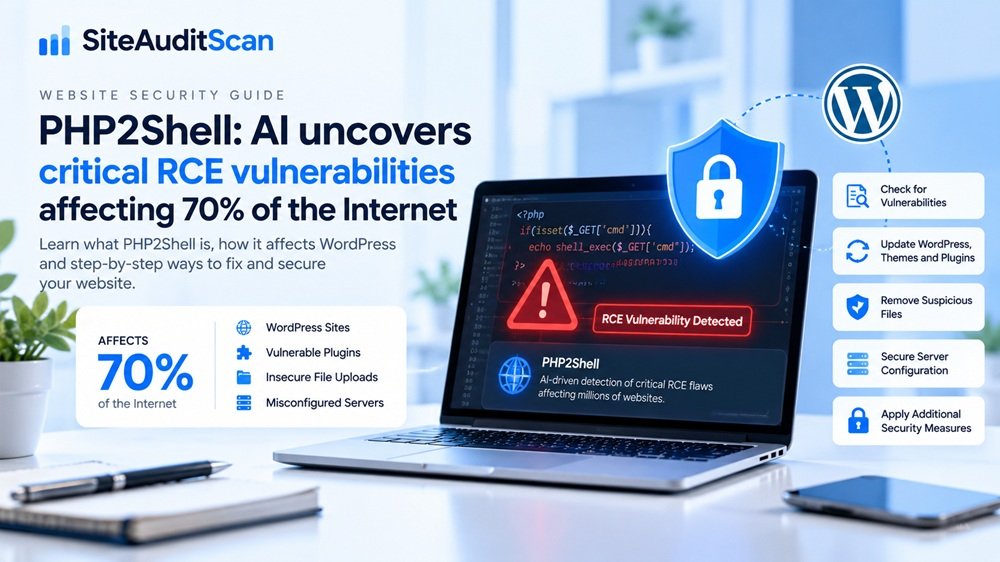
PHP powers a large portion of the web, including WordPress and other widely used content management systems. However, the often-repeated figure of approximately 70% refers to websites powered by PHP, not a verified count of websites that have been compromised.
For WordPress owners, the important question is straightforward: Is your website running a vulnerable PHP version, and what should you do to protect it?
In this guide, we explain the issue, how to check your hosting environment, the steps needed to secure your website, and how to review your site for additional problems.
What is PHP2Shell?
PHP2Shell is the name used for a group of critical vulnerabilities affecting the PHP runtime itself. PHP is the server-side programming language that processes requests and runs the code behind many WordPress websites.
The disclosed flaws involve memory-handling problems. Under certain conditions, PHP can mishandle internal memory after an error or request-processing operation. A remote attacker may be able to exploit these conditions to execute code or access sensitive memory on a vulnerable server.
The two disclosed vulnerabilities are:
- CVE-2026-109618: A remote code execution vulnerability associated with out-of-memory handling and memory corruption.
- CVE-2026-109619: A remote code execution vulnerability involving stale internal state and use-after-free memory handling.
Both vulnerabilities have been rated critical, with a CVSS v4.0 score of 9.2. Researchers demonstrated attacks against applications including WordPress, Drupal, and Joomla. The underlying issue is in PHP, so the risk is not limited to a particular WordPress plugin or theme.
For the official details, consult the PHP security announcements and the PHP2Shell research overview.
Why can PHP2Shell affect WordPress websites?
WordPress relies on PHP to process page requests, run plugins and themes, communicate with the database, and generate dynamic content.
If the PHP runtime serving a WordPress website is vulnerable, updating WordPress itself does not necessarily remove that underlying risk.
Consider a typical WordPress installation. The site may use the latest WordPress release and updated plugins, but the hosting account could still be running an affected PHP build. In that situation, application-level updates alone are not a substitute for patching PHP.
This distinction is important because website owners sometimes assume that installing a security plugin or updating every item in the WordPress dashboard protects every layer of the system. It does not.
Your website depends on several layers:
- PHP runtime: Processes requests and executes PHP code.
- WordPress core: Provides the content management system.
- Themes and plugins: Add functionality and modify site behavior.
- Web server and hosting: Deliver requests and manage the application environment.
- Database and files: Store content, credentials, configuration, and uploaded media.
Each layer needs appropriate maintenance. PHP2Shell makes the runtime layer the immediate priority.
Which PHP versions need attention?
The PHP project has released patched versions for the affected supported branches:
| PHP branch | Patched release |
|---|---|
| PHP 8.5 | 8.5.12 |
| PHP 8.4 | 8.4.27 |
| PHP 8.3 | 8.3.36 |
| PHP 8.2 | 8.2.35 |
These versions address the disclosed vulnerabilities. A version lower than the relevant patched release should be treated as needing urgent investigation, unless your hosting vendor confirms that an equivalent security fix has been backported.
PHP 8.1 and older branches are no longer supported by the PHP project in the same way as the listed branches. Some operating-system vendors and hosting providers may supply backported fixes, but you should verify this with the vendor rather than assuming an older version is protected.
PHP 8.2 is also approaching the end of its security support period on December 31, 2026, so owners should plan a move to a newer supported branch.
Check the official PHP downloads page and your hosting provider’s security guidance before making a change. The correct upgrade depends on the PHP branch, operating system, hosting platform, and compatibility of your website.
Step 1: Check the PHP version used by your WordPress website
Before changing anything, find out which PHP version your website is actually using.
Option A: Check through WordPress
- Sign in to your WordPress dashboard.
- Open Tools → Site Health.
- Select the Info tab.
- Expand the Server section.
- Find the PHP version.
Record the version and compare it with the patched releases listed above.
Option B: Check through your hosting control panel
Many hosting providers display the active PHP version in their control panel. Depending on your provider, look for a section such as PHP Configuration, PHP Manager, MultiPHP Manager, or Select PHP Version.
Be careful if your site uses separate environments or subdomains. The PHP version serving the public WordPress website may differ from a command-line PHP version or another application hosted under the same account.
If you are unsure, ask your hosting provider to confirm the PHP version used by the actual website and whether the relevant security patches have been applied.
Step 2: Update PHP safely
Updating PHP is the most important remediation step for PHP2Shell.
However, changing PHP versions without checking compatibility can break an older WordPress theme, plugin, or custom integration. Take a backup and follow a controlled upgrade process.
Before the upgrade
- Back up your WordPress files and database.
- Check whether your hosting provider has announced a PHP2Shell security update.
- Review the compatibility of important plugins, themes, and custom code.
- If available, test the upgrade on a staging website first.
- Confirm how to restore the previous working configuration if the upgrade causes an application issue.
Apply the security update
Use your hosting control panel or hosting provider’s supported update procedure to move to a patched PHP release. Do not assume that selecting a version in one control panel updates every application or PHP runtime on the server.
For managed hosting, the provider may need to patch the underlying runtime. For a server you administer yourself, follow the package-maintainer or official PHP guidance for your operating system and web-server configuration.
After the upgrade, restart or reload the relevant PHP workers or services as required by your hosting platform. This helps ensure the running processes use the patched runtime.
Then test the public website, WordPress dashboard, forms, login flow, ecommerce checkout if applicable, and any custom functionality.
Important: A firewall rule or security plugin is not a substitute for the PHP security update. Additional controls can reduce risk, but they do not provide a complete fix for an affected runtime.
Step 3: Update WordPress core, plugins, and themes
Although the disclosed vulnerability is in PHP itself, keeping WordPress and its extensions updated remains an important part of securing the website.
After addressing the PHP runtime:
- Update WordPress core to a supported release.
- Update active plugins and themes from trusted sources.
- Remove plugins and themes that are no longer needed.
- Replace abandoned extensions with maintained alternatives.
- Review custom PHP code for unsafe functionality and compatibility issues.
Do not install an unfamiliar plugin simply because it claims to fix PHP2Shell. Confirm that the vendor is reputable and that the product provides the functionality you need.
Also remember that updating plugins does not repair a vulnerable PHP runtime. Treat application updates and runtime patching as separate tasks.
Step 4: Check for signs that your website may have been compromised
Patching prevents exploitation through the known vulnerabilities in the updated runtime, but it does not automatically remove malicious code that may already have been installed.
If your website was running an affected PHP version while exposed to the internet, investigate whether there are signs of compromise—especially if you notice unexpected behavior or unusual server activity.
Look for warning signs such as:
- Unknown administrator accounts.
- Unexpected PHP files in upload directories or other web-accessible folders.
- Recently modified files that you cannot explain.
- Plugins or themes that you did not install.
- Unexpected redirects to unfamiliar websites.
- Unusual outbound connections or suspicious processes.
- Unexplained changes to WordPress configuration or scheduled tasks.
- Unexpected errors or abnormal PHP worker behavior.
None of these signs alone proves that PHP2Shell was exploited. They are reasons to investigate further.
Review web-server, PHP, hosting, and security logs for unusual activity around the relevant period. If you find credible evidence of compromise, preserve logs and evidence, restrict access to the affected environment, and contact your hosting provider or a qualified incident-response professional.
Avoid deleting suspicious files immediately without preserving evidence. A proper investigation can help establish what happened and whether credentials, customer information, or other systems may also be affected.
Step 5: Strengthen WordPress security beyond this vulnerability
A PHP security update addresses the specific runtime flaws, but good security requires multiple layers of protection.
Use strong authentication
Require strong, unique passwords for administrator accounts. Enable multifactor authentication where available, and remove accounts that no longer need access.
Limit administrative access
Give users only the permissions they require. Review administrator accounts regularly, and use secure methods for managing hosting and server credentials.
Protect backups
Maintain regular backups of both files and the database. Keep at least one backup separate from the production hosting account, and test restoration procedures rather than assuming that a backup file is usable.
Keep the server environment maintained
Review PHP, the web server, database, operating system, and other runtime components for security updates. If you use a content delivery network or web application firewall, keep its rules and configuration maintained as an additional protective layer.
Monitor important changes
Use appropriate logging and monitoring to identify unexpected file changes, new administrator accounts, and suspicious activity. A security plugin can be useful, but it should form part of a broader process rather than being your only control.
For general WordPress security guidance, refer to the official WordPress Hardening Guide.
Step 6: Run a broader website audit with SiteAuditScan.com
Once you have addressed the PHP runtime, review the rest of your website to identify other issues that may need attention.
Visit SiteAuditScan.com to review your website.
SiteAuditScan.com provides a way to investigate website issues through its available audit workflow. Use it as an additional checkpoint alongside hosting security information, server logs, and other specialist tools.
A sensible follow-up process is:
- Confirm that the PHP runtime is patched.
- Check that WordPress and its active extensions are maintained.
- Review the audit findings available for your website.
- Investigate any reported technical, SEO, or security-related issues.
- Verify findings before making changes.
- Re-test important pages after remediation.
An audit report should be treated as evidence to review, not proof that a site is completely secure. A general website scan cannot guarantee that PHP2Shell has never been exploited or replace a server-side investigation.
If your website contains sensitive customer information or handles payments, consider a professional security assessment when the situation warrants it.
Step 7: Verify the website after remediation
Do not stop after changing the PHP version. Verify that the fix is active and that the website still functions correctly.
Use this checklist:
-
Confirm the public website is using a patched PHP release or a vendor-confirmed equivalent fix.
-
Confirm the hosting provider has applied the relevant update to the correct runtime.
-
Restart or reload services when required by the platform.
-
Check the WordPress dashboard and important public pages.
-
Test forms, login, ecommerce, and custom functionality.
-
Review server and security logs for unexplained activity.
-
Investigate suspicious files or account changes.
-
Rotate potentially exposed credentials if compromise is suspected or confirmed.
-
Review SiteAuditScan.com findings and verify issues that need attention.
-
Record the change and schedule ongoing maintenance.
If you suspect that an attacker gained access, do not consider the site safe merely because PHP is now patched. You may need to clean the environment, restore from a known-good backup, rotate credentials, and investigate possible persistence.
Common mistakes WordPress owners should avoid
Mistake 1: Updating only WordPress core. The vulnerability is in PHP itself, so the runtime must be patched separately.
Mistake 2: Assuming a security plugin solves everything. Plugins and web application firewalls can provide useful extra protection, but they are not a complete replacement for the PHP update.
Mistake 3: Changing PHP without a backup. An upgrade can reveal compatibility issues. Back up the site and test critical functionality.
Mistake 4: Assuming a patched site cannot have been compromised. Patching stops the known vulnerability from affecting the updated runtime, but it does not automatically remove existing malicious files or accounts.
Mistake 5: Trusting every online “PHP2Shell fixer.” Avoid unknown scripts, plugins, and commands that claim to repair the vulnerability. Use official PHP guidance and your hosting provider’s supported procedures.
Mistake 6: Ignoring other applications on the same hosting account. If your account runs several websites or separate PHP applications, check each relevant runtime and application rather than assuming one change protects everything.
Frequently asked questions
Does PHP2Shell affect WordPress specifically?
The disclosed flaws affect the PHP runtime rather than only WordPress. WordPress is among the applications that can be affected when it runs on a vulnerable PHP environment.
Can I fix PHP2Shell by updating my WordPress plugins?
No. Plugin updates are important, but the complete fix requires a patched PHP runtime or an equivalent vendor-provided security fix for the environment.
Which PHP version should I install?
The PHP project lists patched releases 8.5.12, 8.4.27, 8.3.36, and 8.2.35. Choose a supported version compatible with your website and hosting environment, and confirm the appropriate package with your hosting provider.
Does an SSL certificate protect my website from PHP2Shell?
No. HTTPS encrypts communication between visitors and your website, but it does not patch a vulnerable PHP runtime.
Can SiteAuditScan.com confirm that my website is completely secure?
No website audit should be treated as a guarantee of complete security. Use SiteAuditScan.com for the checks available through its workflow, alongside runtime patching, server logs, security monitoring, and specialist investigation when needed.
Should I take my website offline?
If you cannot patch an exposed, vulnerable system promptly and your hosting provider or security team advises isolation, follow that advice. The appropriate response depends on the environment and the risk of leaving it online. Contact your host urgently if you cannot apply the update yourself.
Conclusion: Patch PHP first, then investigate and verify
PHP2Shell is a serious reminder that website security depends on more than WordPress plugins and strong passwords. Critical flaws in the underlying PHP runtime can put applications at risk even when their own code has not changed.
Start by identifying the PHP version serving your website and applying the appropriate security update. Then verify that WordPress still works, review suspicious activity, strengthen access controls and backups, and investigate any signs of compromise.
Finally, use SiteAuditScan.com as part of your broader website review. Combine the findings available from your audit with official security guidance and hosting-level checks to build a clear remediation plan.
Do not wait for visible symptoms. Check your PHP runtime, apply the patch, and verify the result. Proactive maintenance is one of the most important steps you can take to protect a WordPress website.